

This guide draws on industry experience and on each vendor’s public information as of October 2026. None of the companies mentioned sponsored it.
Choosing the best geotechnical engineering software comes down to fit: the scale of your projects, the soil-structure questions you need to answer, and how fast you have to move. This overview covers the tools engineers reach for in day-to-day practice, from finite elements and limit equilibrium to seepage and quick design checks, so you can put together a set of programs that covers your work.
Quick comparison (2026)
| Software | Core strength | Best for | Learning curve | Published price (Oct 2026) |
|---|---|---|---|---|
| PLAXIS (Seequent, Bentley) | FEM and soil-structure analysis | Tunnels, deep excavations, seismic | Steep | PLAXIS 2D from USD 4,450/yr; Ultimate from USD 7,925/yr |
| Rocscience (Slide, RS2, Settle3) | LE slope stability + FEM | Slopes, excavations, settlements | Moderate | USD 1,349 to 8,899/yr per program (personal lease) |
| GeoStudio (Seequent) | Integrated groundwater and thermal | Dams, embankments, seepage | Moderate | GeoStudio 2D USD 3,200 to 6,400/yr (named licence) |
| GEO5 (Fine) | Modular design suite | Retaining walls, foundations | Gentle | €100 to €1,500/yr per program; Professional package €8,000/yr |
| FLAC (Itasca) | Continuum modeling, static and dynamic | Research, complex constitutive models | Steep | Quote on request |
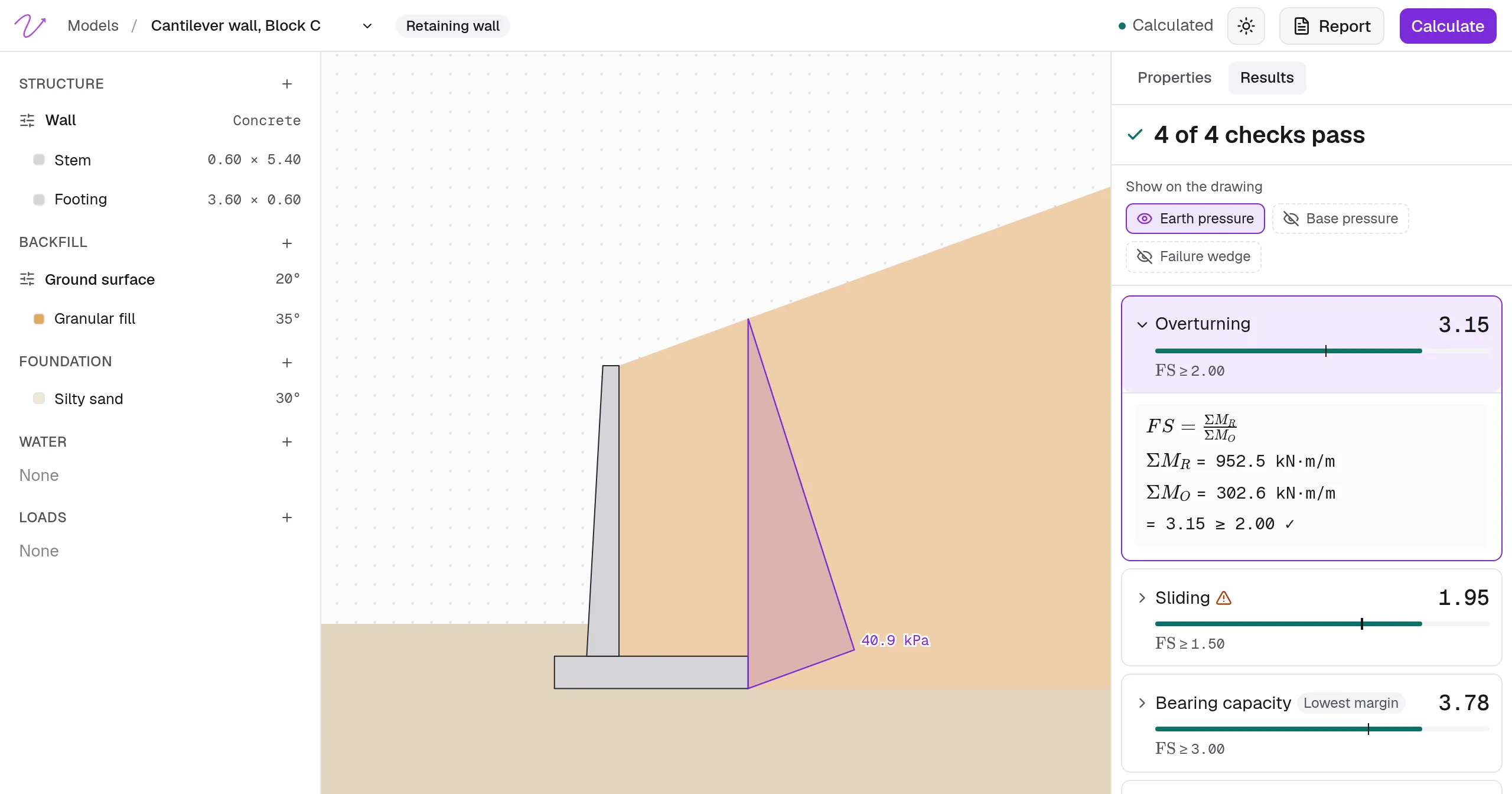
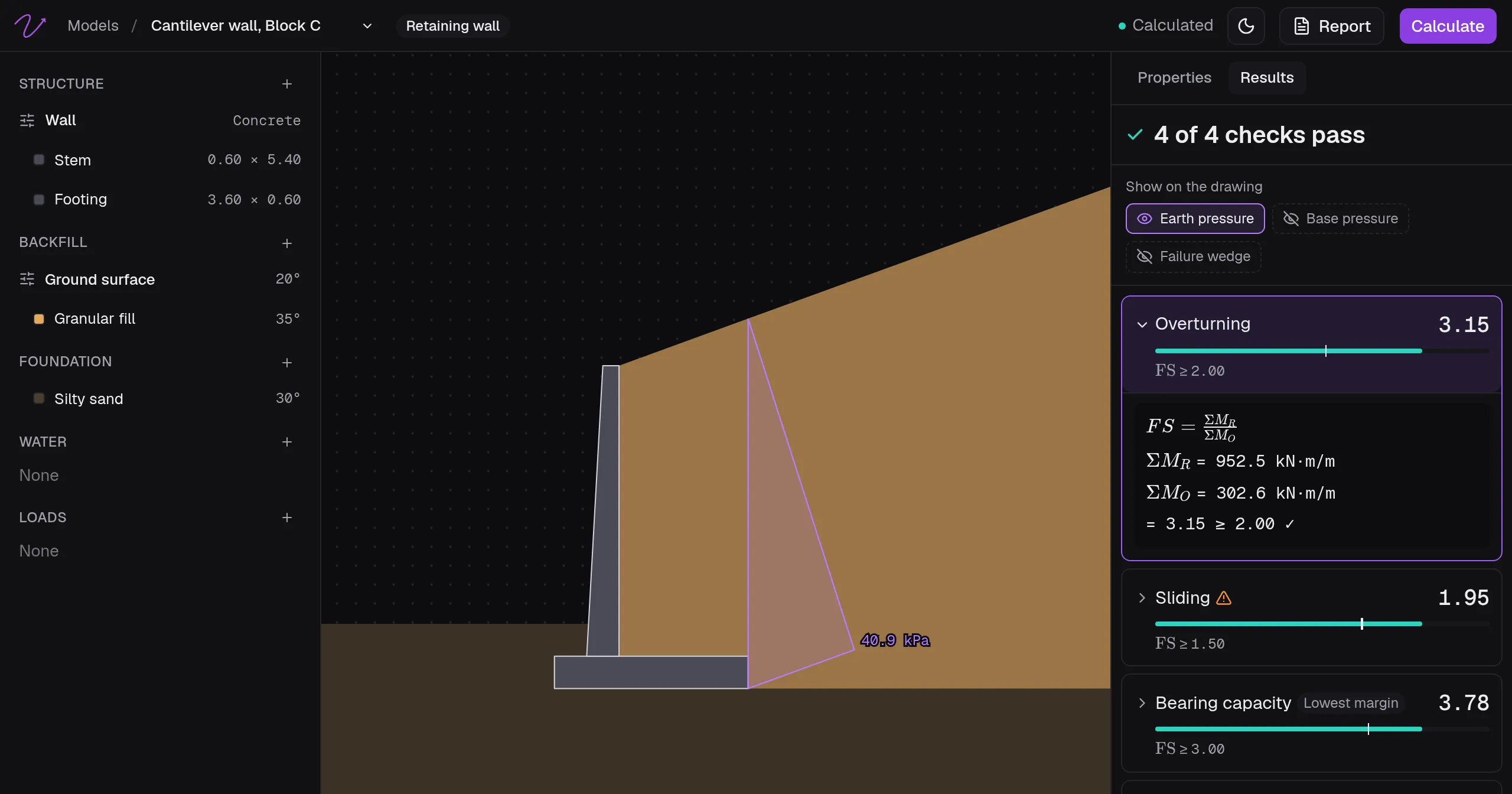
| Rischio | Walls, footings, piles and channels in the browser | Everyday design checks with a calculation report | Gentle | Free plan; Professional USD 49/month |
How to read this table: Core strength shows what each tool does best. Learning curve estimates the ramp-up time for a team coming from another tool. Prices are the vendors’ published list prices for one user, before tax; Itasca quotes FLAC on request. Confirm with the vendor before you buy.
How to choose (without overthinking it)
- Start simple and go deeper when the project asks for it. For quick checks, light geotechnical tools are faster than setting up a full FEM model. When the interactions turn nonlinear or the geometry gets complicated, move to geotechnical finite element analysis software.
- Think in workflows. Pair an LE slope tool with a FEM package, and a seepage module with your stability model.
- Train for what you’ll use. Many geotechnical engineering programs teach the big names, and the right mix for your firm may be a few smaller, focused tools plus one heavy-duty modeler.
Bentley + PLAXIS
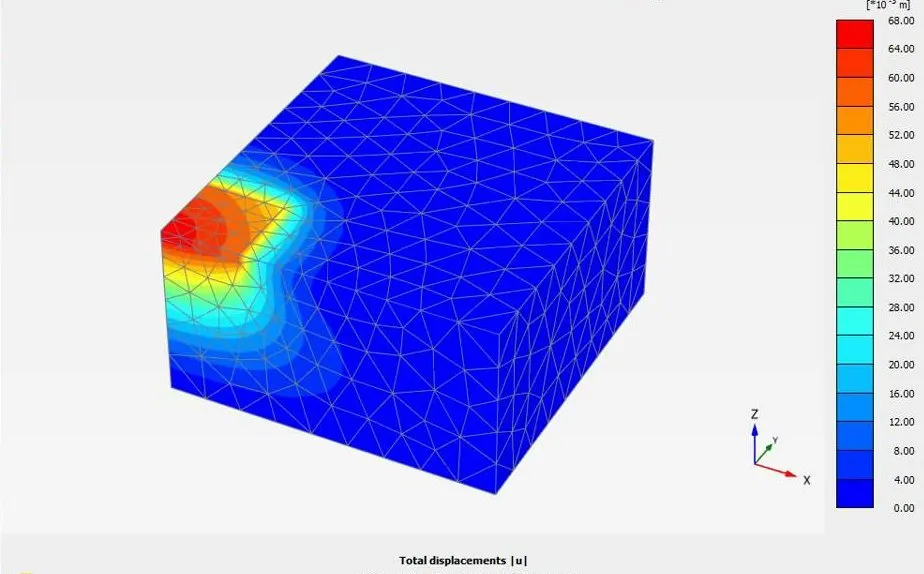
Bentley’s geotechnical lineup is anchored by PLAXIS, widely used for tunnels, deep excavations, embankments and soil-structure interaction. Bentley acquired PLAXIS in 2018, and since 2022 it belongs to Seequent, the Bentley subsurface company, next to GeoStudio and OpenGround. PLAXIS 2D takes cross sections from Leapfrog Works through Seequent Central and keeps project data in ProjectWise, and Bentley’s own store still sells it: it remains the flagship of Bentley geotechnical software.
Bentley sells PLAXIS 2D as a 12-month subscription in three editions: PLAXIS 2D from USD 4,450 a year, Advanced from USD 5,560 and Ultimate from USD 7,925, before tax. PLAXIS 3D covers the same problems in three dimensions.
Good for: complex staged construction, groundwater flow coupling, consolidation, dynamic loads and advanced constitutive models.
Typical role in a stack: the FEM modeler for the detailed study, next to lighter geotechnical design software for quick iterations.
Rocscience Suite (Slide2/Slide3, RS2/RS3, Settle3)
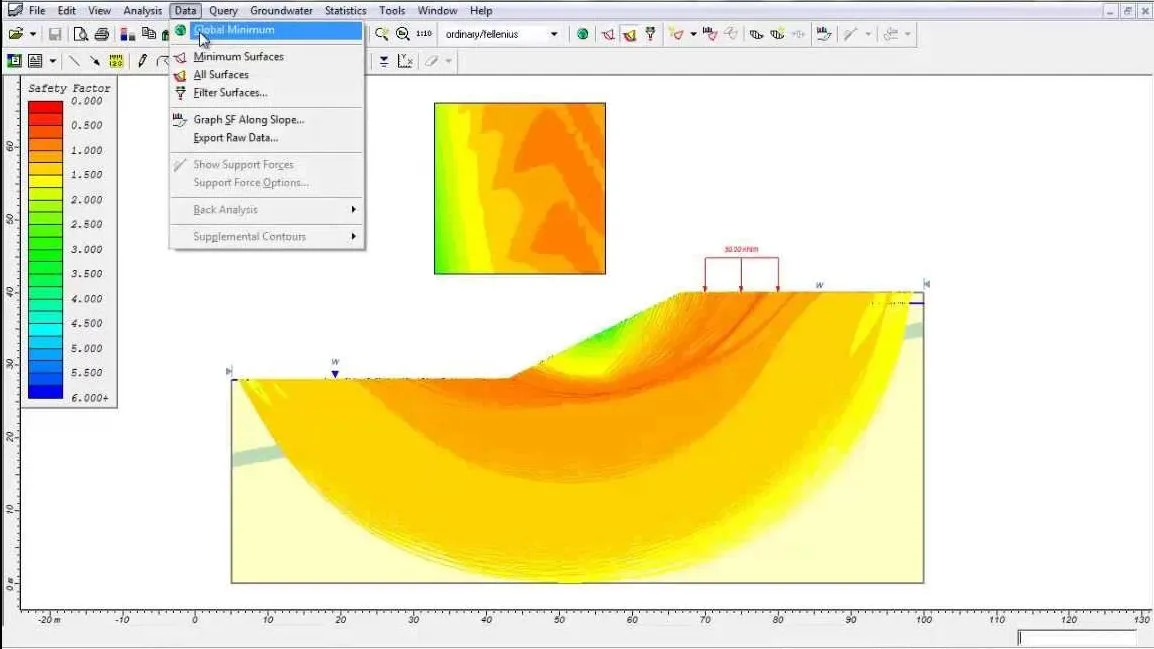
Rocscience sells each program on its own, as a 1-year lease:
- Slide2 / Slide3 for 2D and 3D limit equilibrium slope stability, with seepage analysis.
- RS2 / RS3 for 2D and 3D finite elements when you need stresses and strains.
- Settle3 for settlement and consolidation, with CPT and liquefaction evaluation and an approachable learning curve.
The list also has RSPile for piles and RSWall for retaining walls. With LE and FEM in the same suite, you can check a limit equilibrium result against a finite element model, which helps when the design needs a second look. A personal lease costs from USD 1,349 a year for Settle3 to USD 8,899 for RS3 (Slide2 USD 2,599, RS2 USD 4,649, Slide3 USD 7,299), and the Flexible+ lease costs roughly twice as much.
Good for: slopes, excavations, foundations, and cases where you want to compare LE and FEM results.
Typical role: a balanced toolkit covering both geotechnical modelling software (FEM) and everyday design checks.
GEO5 (Fine Software)
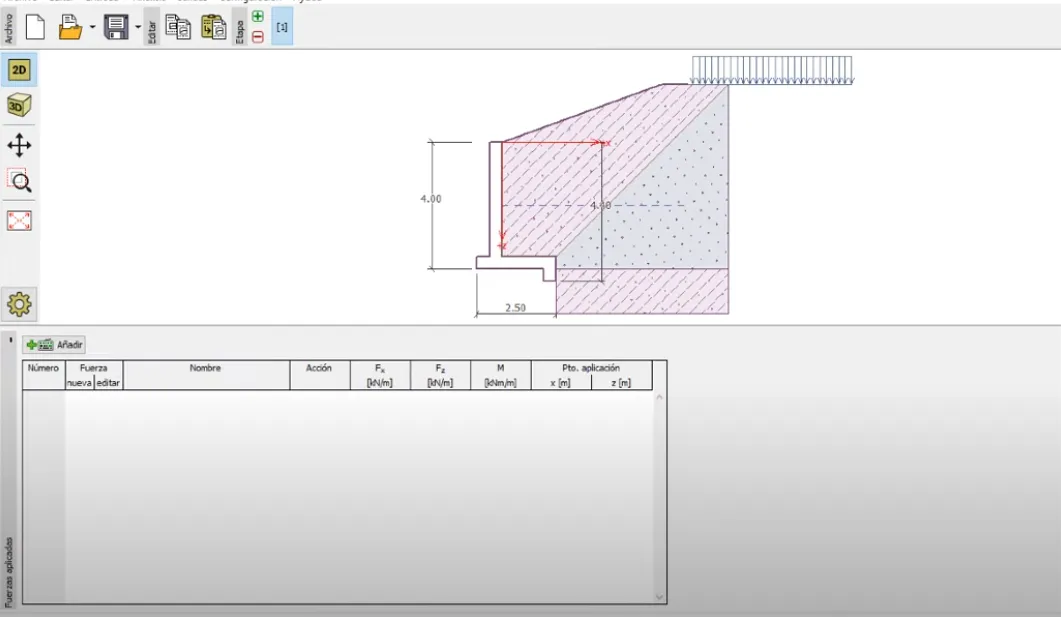
GEO5, from the Czech company Fine, is modular: start with a retaining wall program, add shallow or deep foundations, and bring in FEM if you need it. It runs on Windows and is popular with small and medium firms that prefer focused tools to one large suite. The interface is straightforward, and buying only the programs you need keeps the budget under control.
Fine publishes its prices. An annual subscription for one personal license costs from €100 to €1,500 per program (Cantilever Wall €300, Spread Footing and Pile €400 each, FEM €1,500), and the Professional package is €8,000 a year. With an active subscription you can also buy a perpetual license for three times the subscription price.
Good for: routine retaining structures, shallow and deep foundations, and adopting the software one program at a time.
Typical role: practical software geotechnical engineering workflows with just the programs you need.
GeoStudio (Seequent, a Bentley company)
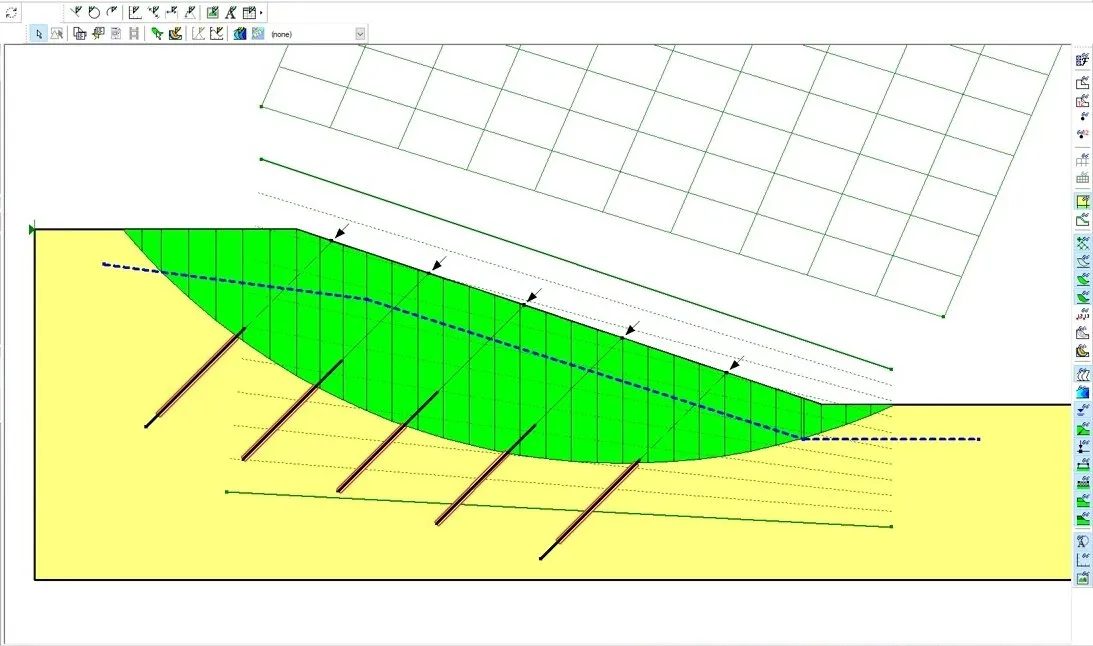
GeoStudio splits the work into specialized products, among them SLOPE/W (stability), SEEP/W (seepage), SIGMA/W (stress-strain), QUAKE/W (dynamic loading) and TEMP/W (heat transfer), which connect for coupled problems. If you like purpose-built apps that work together, this set is a solid pick.
Seequent sells GeoStudio 2D in three editions, each a 12-month named licence: GeoStudio 2D with SLOPE/W at USD 3,200, Advanced (adds SEEP/W) at USD 4,800, and Ultimate (adds SIGMA/W and QUAKE/W) at USD 6,400, before tax. The Geotechnical Analysis 2D WorkSuite bundles GeoStudio 2D Ultimate with PLAXIS 2D Ultimate for USD 10,030, and there are 3D and flow packages as well.
Good for: slope-seepage coupling, embankments, dams, earthworks.
Typical role: structured analyses with the classical methods that scale to real projects.
FLAC geotechnical software (Itasca)
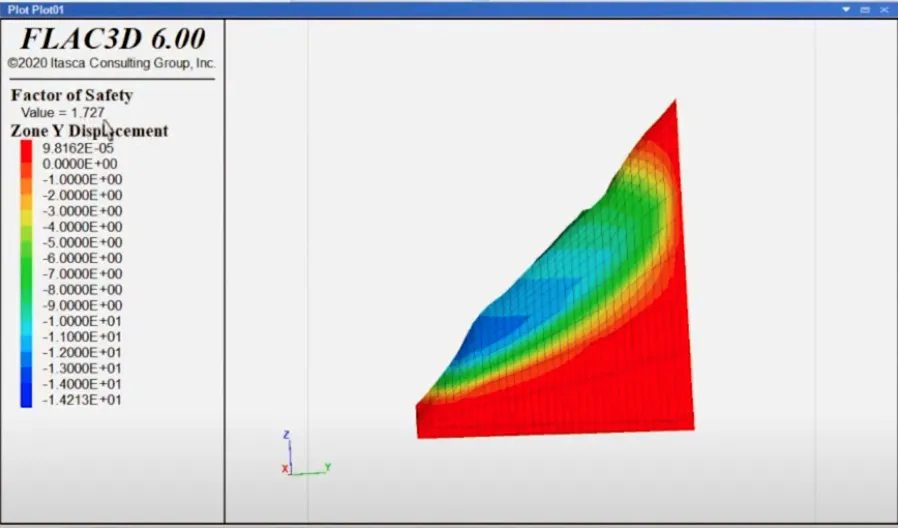
When people say FLAC geotechnical software, they usually mean Itasca’s FLAC2D and FLAC3D, long-standing programs for continuum modeling of soil and rock. They have a loyal following in research and in projects that need fine control over material behavior and construction stages. Expect a steep learning curve and a lot of capability. Itasca doesn’t publish prices; licenses are quoted on request.
Good for: advanced constitutive modeling, dynamic problems, slopes and underground works with complex physics.
Typical role: the power-user engine you call in for non-standard behavior.
Rischio
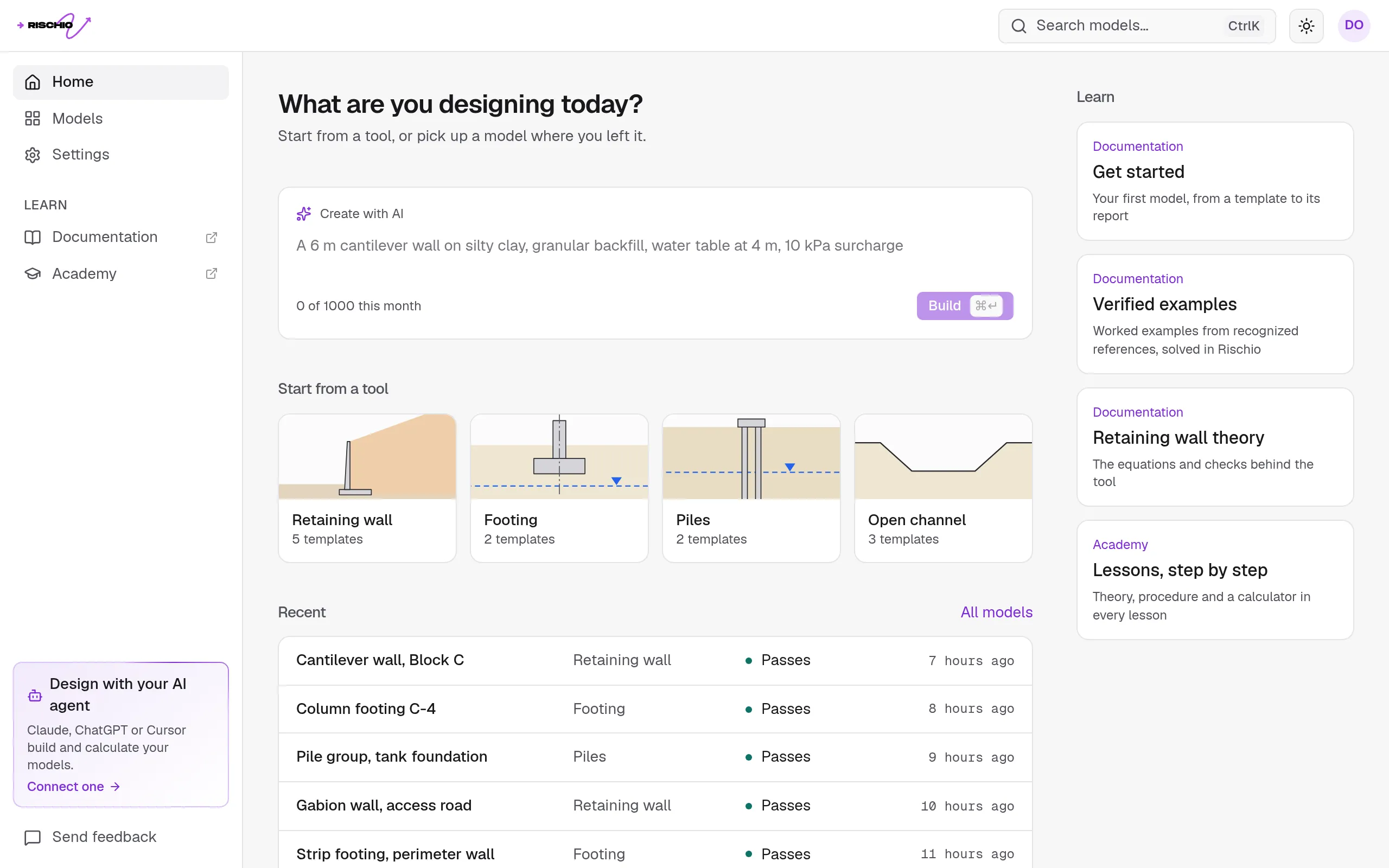
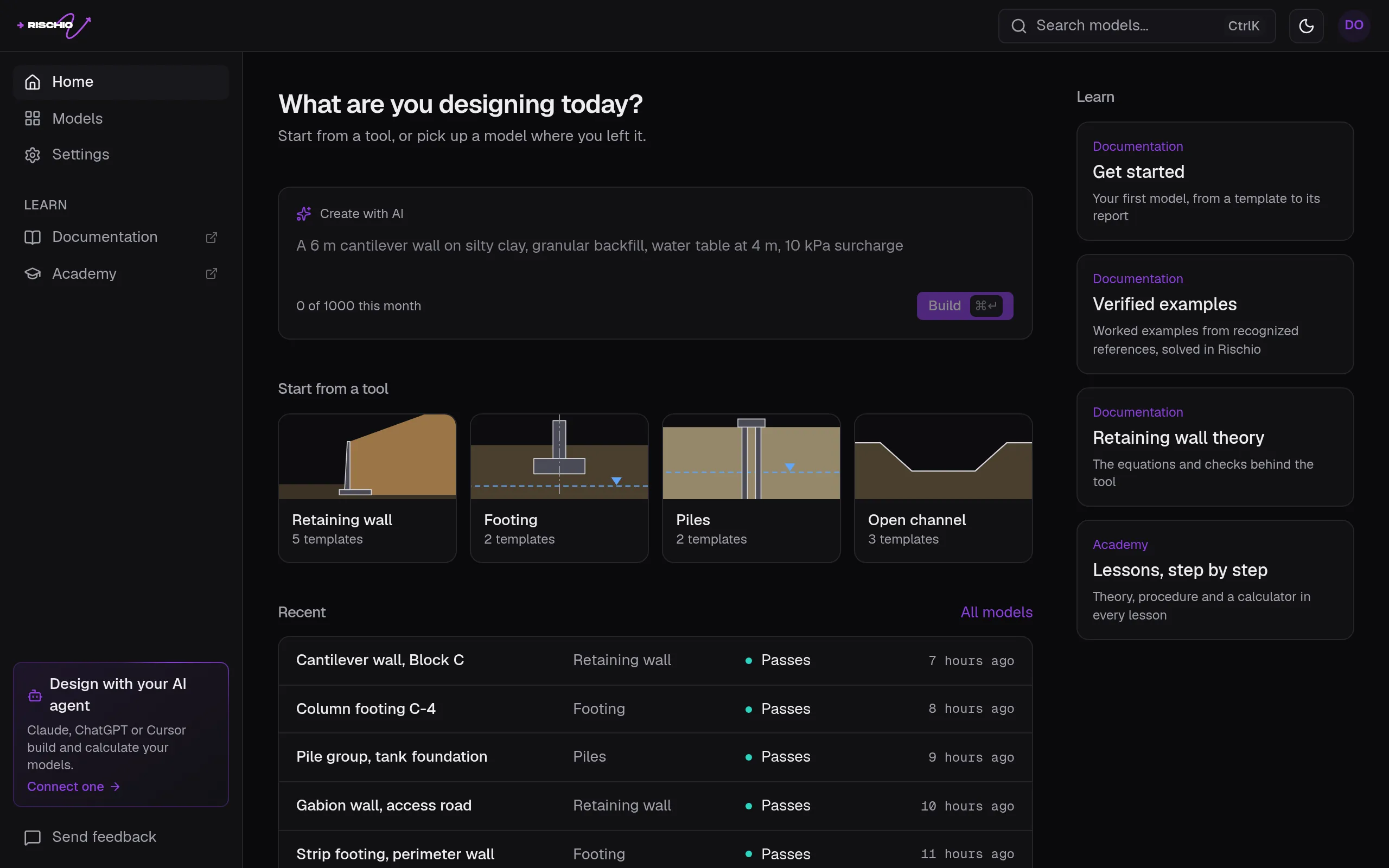
Rischio is a newer, web-based option for everyday design. It runs in the browser and has four tools: retaining walls (cantilever, gravity and gabion), footings, piles and open channels. You describe the problem in a sentence and an AI agent builds the model, or you enter it yourself. Rischio’s engine does every calculation, each result opens to its equation, data and assumptions, and the calculation report comes out ready to hand in. Rischio doesn’t do finite elements, slope stability or seepage, so for those you still need one of the programs above.
The Free plan has all four tools and up to 3 models. Professional, at USD 49 a month or USD 490 a year, adds unlimited models and the report as PDF and Word (pricing).
Good for: walls, footings, piles and channels that need a clear check and a report without a long setup.
Typical role: the everyday design tool for small and mid-sized projects, next to a FEM package for the cases that need one.
Quick picks by scenario
- Small retaining wall, shallow foundation, settlement check: a GEO5 program, Settle3, or Rischio for speed; confirm with a simple hand calculation.
- Large excavation near sensitive structures: PLAXIS or RS2/RS3 for staged FEM; consider coupling seepage and stability.
- Mine slope, complex geology, dynamic loading: FLAC3D, or Slide3 with RS3, depending on whether you need LE, FEM or both.
So… what’s the best geotechnical software?
There isn’t one. The top geotechnical engineering software for your job depends on:
- Complexity (do you need nonlinear FEM, or will LE do?)
- Time (a quick decision or a full numerical study)
- Data quality (poor input gives poor results in any program)
- Team skills (a program your team knows well beats a more powerful one it barely uses)
Many teams settle on an LE slope tool (Slide2/Slide3 or SLOPE/W), one FEM program (PLAXIS, RS2/RS3 or FLAC), and targeted tools for settlement, seepage or foundations. With that set you can start fast and go into detail only when the project needs it.
Disclaimer
All trademarks, product names, and company names are the property of their respective owners. Use is for identification purposes only.